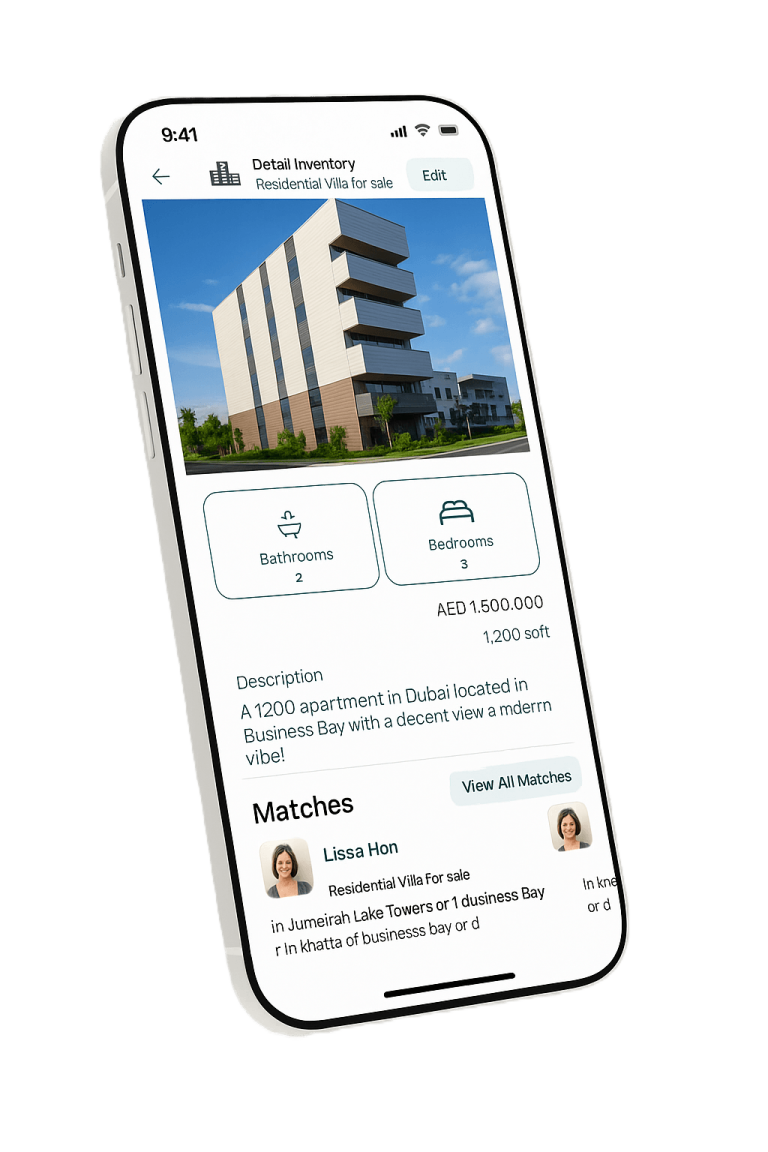

Fast posting with AI assistance
Post inventory and inquiries in seconds using voice, text, or direct sharing from WhatsApp and Telegram. AI structures the content with UAE project and building data.
Tutorial Guide
Watch the chapters below to master FairShare.Everything you need to know about FairShare — from getting started to advanced features. Watch the chapters below to become a pro.
Your Journey: 1 of 21 chapters complete
Now Playing
0:53
FairShare is an agent-first real estate collaboration platform for posting Inventory and Inquiries, discovering matches, and working inside a trusted professional network. It supports secondary and live off-plan availability, controlled visibility, referral collaboration, Form A awareness, AI-assisted posting from text, voice, WhatsApp, or Telegram, personalized client links, smarter search, regulations, market updates, and industry news. FairShare is not a CRM or public marketplace and does not guarantee leads or closings.
21 lessons
21 lessons
Introduction to FairShare
23-page guide
Keep the complete illustrated tutorial available offline for quick reference.
Platform features
Post inventory and inquiries in seconds using voice, text, or direct sharing from WhatsApp and Telegram. AI structures the content with UAE project and building data.
Keep listings and client needs together so supply-and-demand overlaps become visible opportunities.
Access real available units from developers and buildings instead of generic project information.
Work directly with trusted agents on referral deals, with Form A awareness supporting rights and commission clarity.
Choose who sees each listing and send personalized, client-friendly property links.
Reduce admin work while accessing smarter search, regulations, market updates, and industry news.
Platform capabilities
Choose an item to watch its related chapter.
Recommended workflows
Tap a practice to jump to the lesson.
FairShare is not a CRM or public marketplace and does not promise leads or completed deals.
Common questions
FairShare records the match and collaboration history, helping agents keep a clear record of how the deal started.
Agents can report suspicious listings, and repeated misuse can lead to account restrictions or suspension.
You can track relevant activity and interest around your listings, depending on the sharing method.
Yes, when the listing owner chooses to share it. Sensitive unit information can remain private.
Yes. FairShare supports bulk inventory uploads for agents, agencies, and larger portfolios.
Yes. Property information can be shared in a clean, client-friendly format.
Agents can submit their professional details for verification and receive a verified profile status.
Yes. Sensitive information is not automatically exposed to other agents.
Listings have an activity period so outdated inventory does not remain active indefinitely.
No. Commission terms are agreed between the collaborating agents.
Yes. Listings can be shared selectively with your own company, selected agents, or the wider network.
The more details you provide, the more accurate the matches, but FairShare can still work with simple requirements.
Agents can quickly connect with each other and continue the conversation through the available contact options.
FairShare is a collaboration tool. Agents remain responsible for following DLD, RERA, advertising, and Form A requirements.
FairShare works with a credit system. Your available credits determine how much activity you can perform before purchasing more.
Yes. Matches can be focused around the locations and property criteria relevant to you.
It compares property details with buyer or tenant requirements and identifies relevant supply-demand overlaps.
No. You can use simple text or voice, and FairShare AI helps structure and complete the information.
Yes. Property information can be brought into FairShare from the way agents already communicate.
Yes. Listings can include property images, floor plans, and supporting information.
Yes. You can create a clean shareable property link instead of forwarding long agent messages.
Not unless you want them to. You control which listings are shared and with whom.
Your client information remains private unless you intentionally share it.
No. FairShare is built specifically for agent collaboration, inventory, inquiries, matching, and deal opportunities.
Instead of searching through hundreds of messages, FairShare structures inventory and inquiries, finds matches automatically, and keeps opportunities organized.